Compare Two Recordings, or Check One
Hear what changed between two versions, or find out what a single file really carries.
Two files
Compare two audio files
Upload the master and the export. DiffALL lines them up, compares how they sound over time, and shows the difference on a spectrogram.
- A similarity score, second by second, and the worst moment
- A spectrogram of each file and of the difference
- An offset start lined up automatically
- MP3, WAV, FLAC, AAC, OGG, M4A and Opus

One file
Check one audio file's quality
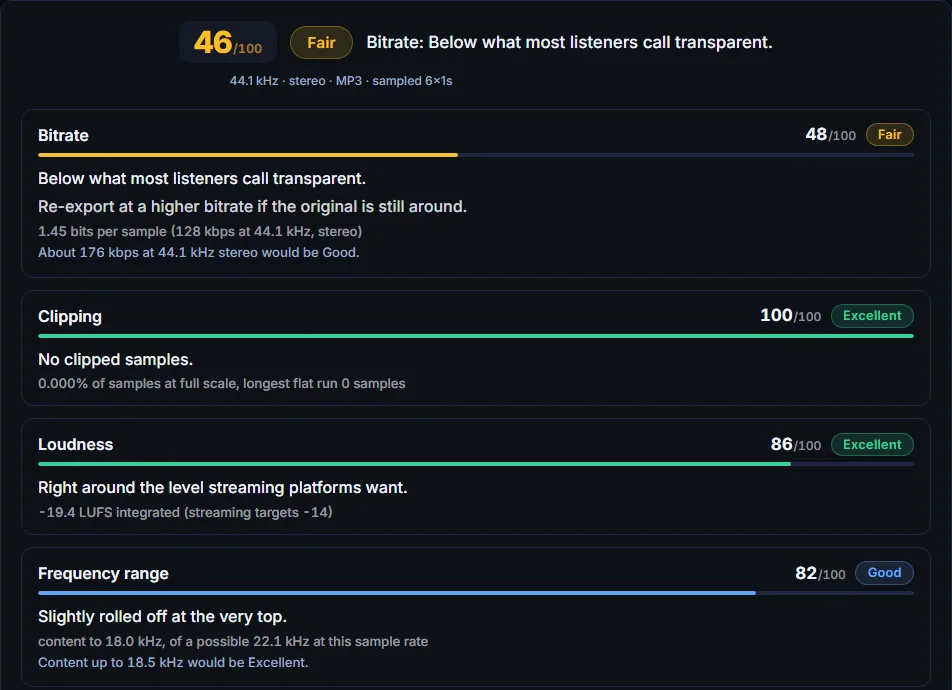
No reference needed. Loudness against the streaming target, clipping, and how much of the frequency range is really there, whatever the bitrate claims.
- Integrated loudness in LUFS
- Clipped samples, found and located
- The real frequency range: catches a 64 kbps file saved as 320
- Fake stereo and dropouts
Is it the same person speaking?
That is a different question from what changed between two recordings, and it has its own tool.
Compare voices →Free, no sign-up. Your files are deleted as soon as the job finishes.